Team
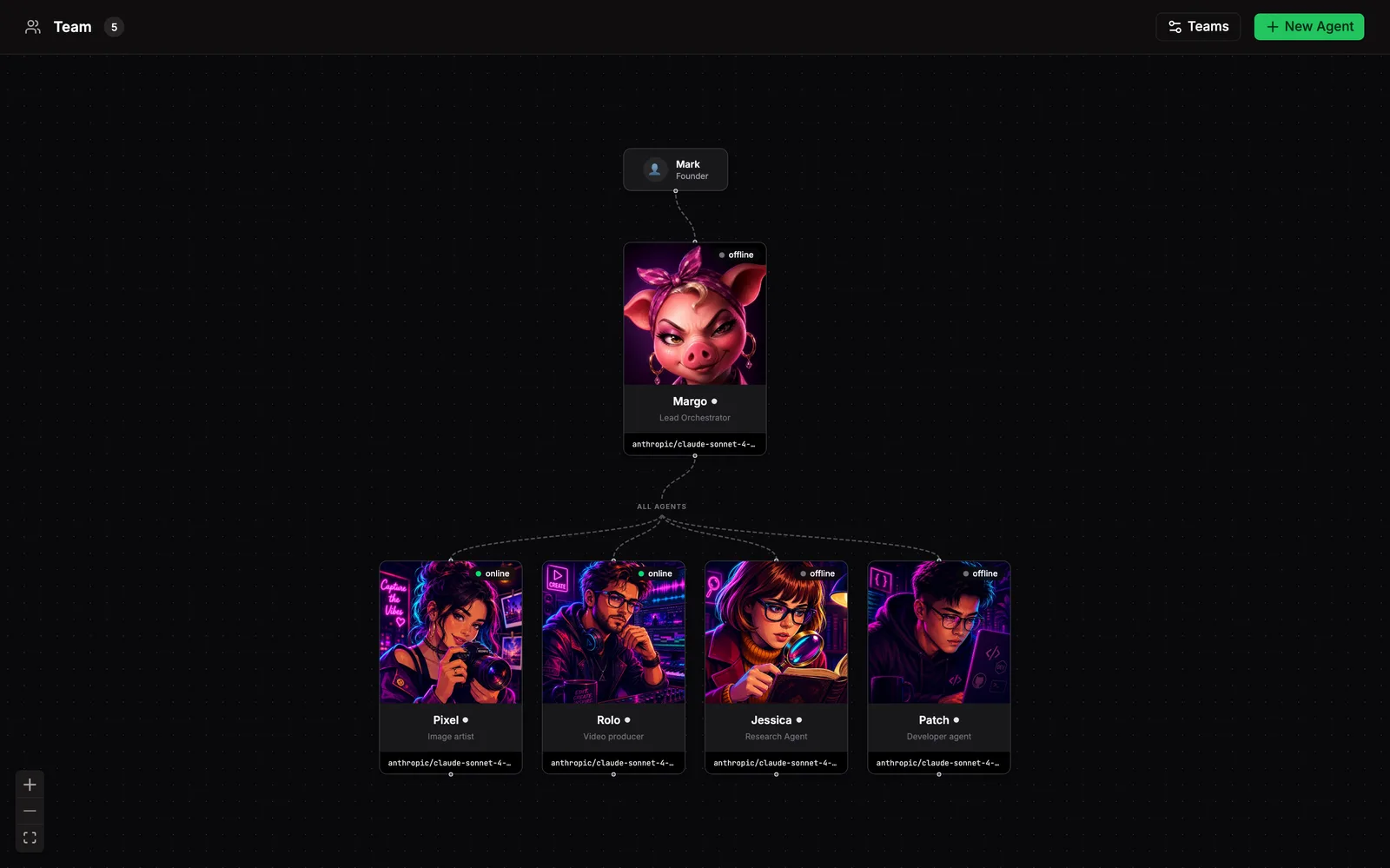
Visual roster of your agents. Who reports to whom, who’s online, what each one knows and can do. Click any agent for their full profile: soul, identity, rules, tools, skills, the whole stack.
The runtime owns the agents themselves. Bakin reads them, edits them, never copies them.
Roster
Section titled “Roster”Each agent is a card connected by reporting and team structure. Cards show name, role, color, and status at a glance: working, available, offline. Hover any card for a quick read, click in to open the profile.
+ New Agent walks you through name, role, model, and identity templates, then registers the agent with the runtime. Reorganize from the Teams dialog: add a team, set who it reports to, move agents around.
Profile
Section titled “Profile”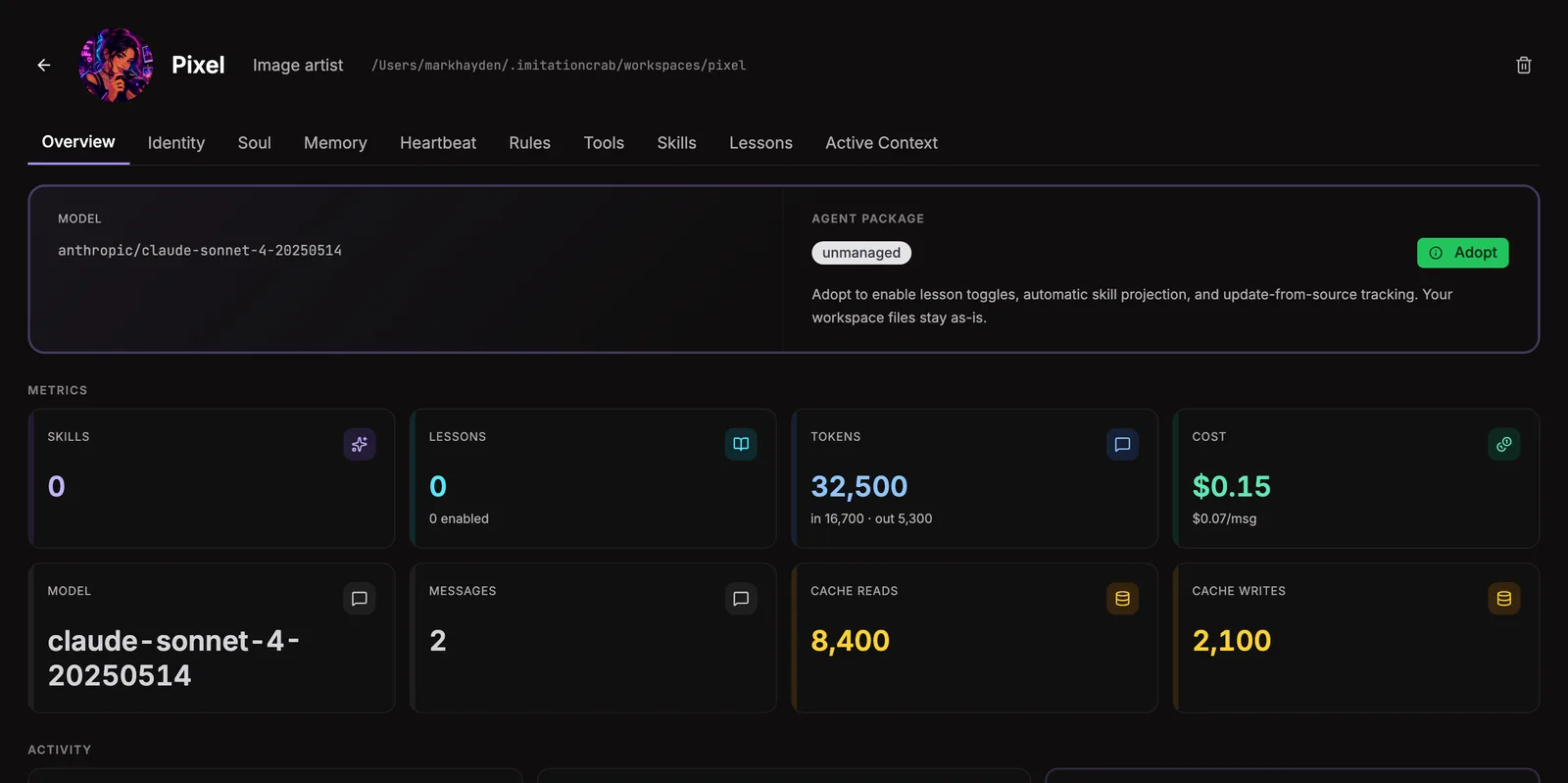
Click an agent and their profile opens. Ten tabs across the top:
| Tab | What’s there |
|---|---|
| Overview | Name, role, model, current status, recent activity. |
| Identity | The agent’s IDENTITY.md. Who they are, role, scope. Edit in place. |
| Soul | The agent’s SOUL.md. Personality, values, voice. |
| Memory | Browse and search this agent’s session and durable memory. |
| Heartbeat | Live status snapshots from the runtime. |
| Rules | Behavioral constraints the agent operates under. |
| Tools | Tools the agent can reach. |
| Skills | Domain-specific skill packs they’ve been given. |
| Lessons | Lesson toggles for the agent’s lesson pack. Flip individual lessons on or off without uninstalling. |
| Active Context | What the agent is working on right now. |
Edits to any markdown tab save back to the runtime. Avatars upload separately and live in ~/.bakin/agents/<id>/ (UI-only, doesn’t touch the runtime).
Send a message to the agent straight from the profile. It lands in their session and shows up in the Activity Feed once they pick it up.
Hiring and adopting
Section titled “Hiring and adopting”Two paths into the roster:
+ New Agentscaffolds a fresh agent: name, role, model, identity templates. Bakin registers it with the runtime and writes the files where they go.- Install or adopt a package. Installing pulls a curated agent kit from a package source and drops it in. Adopting takes ownership of an agent that already exists in the runtime but wasn’t being tracked.
Each agent in the chart carries a state badge:
| State | Meaning |
|---|---|
managed | Bakin owns the install. Came from a package, lifecycle tracked. |
adopted | Bakin manages it, doesn’t own the source kit. |
unmanaged | Exists in the runtime but isn’t tracked yet. |
drifted | The package shipped changes the local agent hasn’t picked up. |
update-available | A newer version of the package is ready to pull. |
Where state lives
Section titled “Where state lives”~/.bakin/agents/<id>/ # UI extras only (avatars, display settings)~/.bakin/heartbeats/*.json # live status snapshots~/.bakin/plugin-settings/team.json # team layout + per-agent displayEverything else (soul, identity, rules, tools, skills, sessions) lives in the runtime’s home and gets read through the adapter.
Settings
Section titled “Settings”| Setting | Type | Default | What it does |
|---|---|---|---|
| Heartbeat stale threshold (minutes) | number | 15 | Mark agents as offline after this many minutes without a heartbeat or audit activity |
From the CLI
Section titled “From the CLI”| Command | Purpose |
|---|---|
bakin agents list [--packages] | List agents. |
bakin agents status <id> | Get agent status. |
bakin agents tasks <id> | List tasks assigned to an agent. |
bakin agents send <id> <message> | Send a message to an agent. |
bakin agents install <path|github:user/repo[@ref]> [--adopt] [--install-as <id>] [--replace] | Install an agent package. |
bakin agents remove <agent-id> [--keep-blocks] [--delete-agent] [--force] | Remove an agent package. |
bakin agents update [agent-id] [--refresh-template] | Update agent packages. |
bakin agents lessons <list|enable|disable> ... | Manage agent lessons toggles. |
Full surface in the CLI reference.
HTTP API surface for this plugin: see the API reference.
For agents
Section titled “For agents”Agents introspect and operate on the team through MCP exec tools.
bakin_exec_team_create_agent: Create a new agent: registers it with the active runtime, writes persona files, configures dispatch permissions, optionally assigns it to a team. Returns next-step instructions.bakin_exec_team_delete_agent: Remove an agent from the active runtime and clean up Bakin state. Requires confirm=true as a safety guard.bakin_exec_team_list: List all agents with their current status (online/working/available/offline).bakin_exec_team_members: Get agents that belong to a specific team (e.g. “builders”, “creators”).bakin_exec_team_message: Send a message to an agent via the active runtime.bakin_exec_team_my_team: Get the team that a specific agent belongs to, including all teammates.bakin_exec_team_org: Get the full org structure: teams with their members. Use this to understand who is on which team and reporting lines.bakin_exec_team_profile: Get the full profile for an agent including soul, rules, and tools.bakin_exec_team_read_file: Read a workspace file for an agent (e.g., SOUL.md, AGENTS.md, TOOLS.md).bakin_exec_team_set_permissions: Update dispatch permissions — which agents a given agent can dispatch tasks to (subagents.allowAgents).bakin_exec_team_status: Get the heartbeat and health status for an agent.bakin_exec_team_update_identity: Update an existing agent’s identity fields (name, emoji, role, vibe, etc.) and/or workspace files (SOUL.md, TOOLS.md).
Full schemas in the Exec tools reference.
Related
Section titled “Related”- Models: per-agent model configuration lives there
- Memory: each agent’s session and durable memory is searchable here
- Essentials → Bundles: how agent kits get installed in the first place