Schedule
Cron for normal humans. Visible, debuggable, paused with a click. Each scheduled job spawns a real task, hands it to an agent, optionally walks them through a workflow. Set it up and get on with your day. History shows you what fired, what worked, and what didn’t.
The schedule view
Section titled “The schedule view”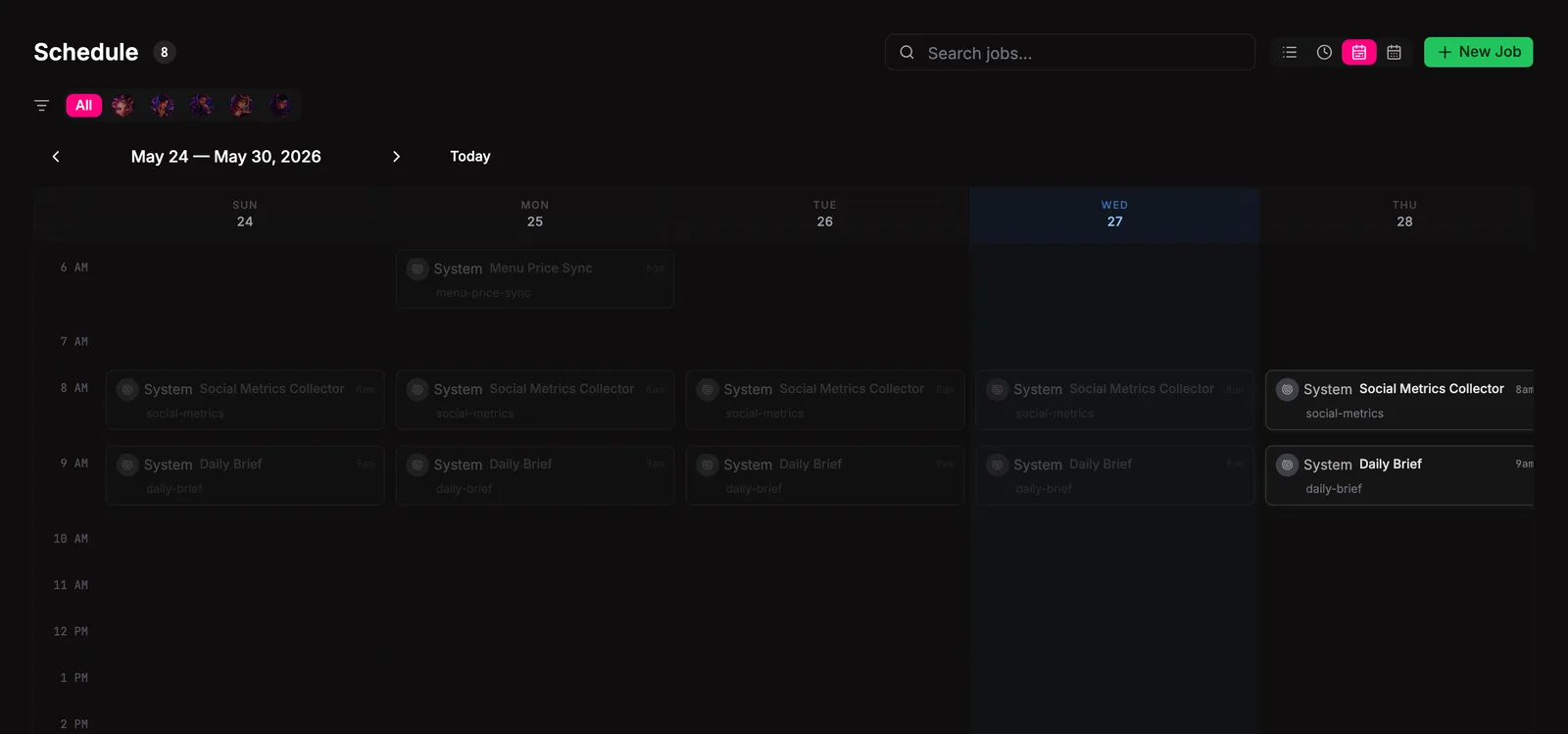
As close to telling the future as it gets. Four view modes from the header: List, Today, Week, Month. List is the dense table; the calendar grids lay out every job your team is about to fire. Filter by agent, search by name. Click a row to open the detail drawer (sidecar fields, run history, last failure).
Job Management
Section titled “Job Management”Create
Section titled “Create”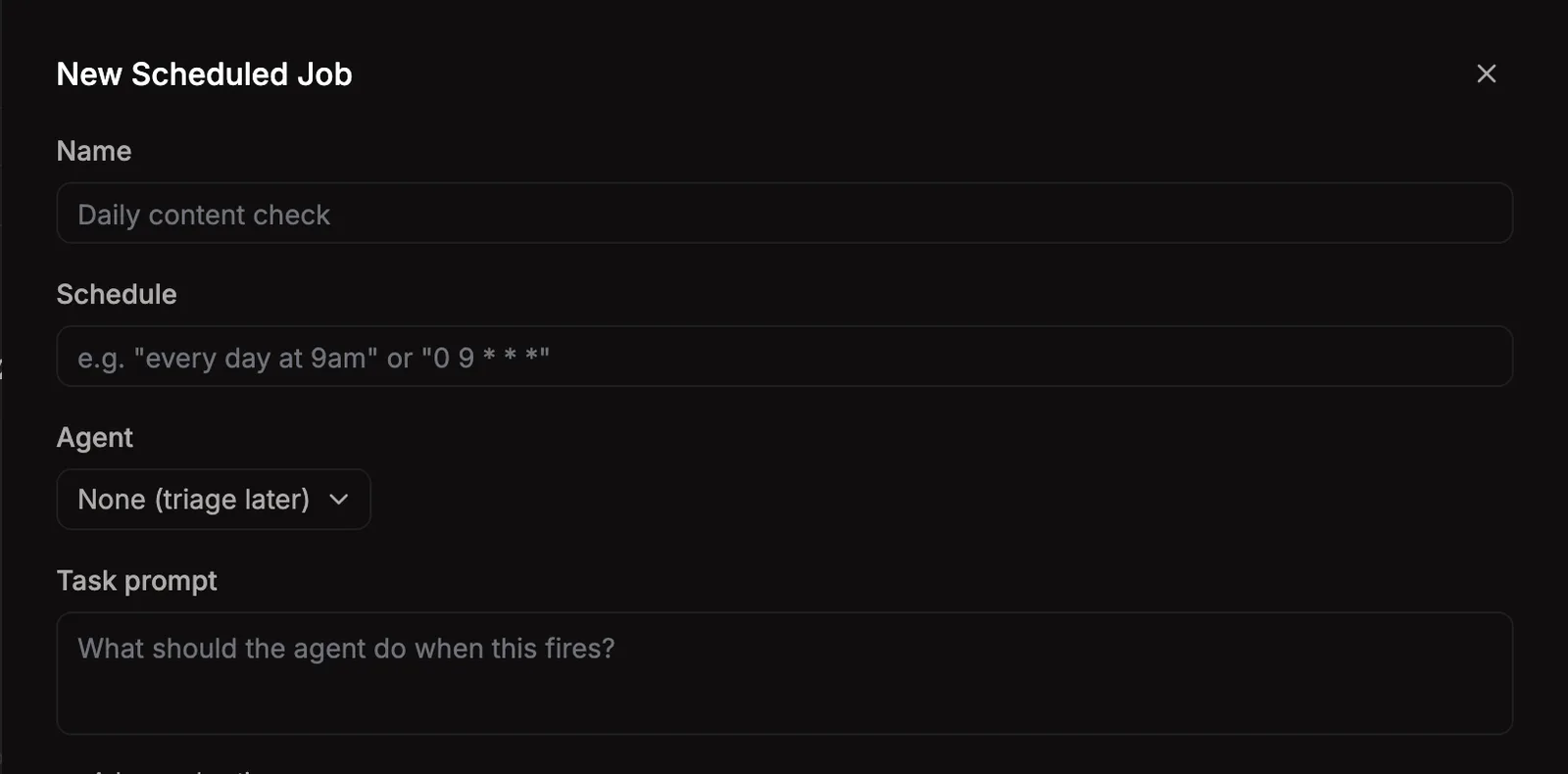
+ New Job opens a side drawer. Type the cadence in plain English (“every day at 9am”, “weekdays at noon”, “first of the month”) and Bakin translates it into cron. Or drop in a raw cron expression if you’ve got one. Pick the agent who runs it, give the task a title and a prompt, optionally attach a workflow.
Pause, run now, duplicate
Section titled “Pause, run now, duplicate”Each row’s menu has the day-to-day controls:
Pauseto stop a job without losing its config. Resume from the same menu when you’re ready.Run nowto fire the job immediately, ignoring schedule. Good for testing or backfilling.Skip nextto drop just the next firing without pausing the rest.Duplicateto clone a job with all its settings, then tweak the copy.Deletewhen you don’t need it anymore.
Same menu lives in the detail drawer for jobs you’ve already opened.
Inspect run history
Section titled “Inspect run history”The detail drawer’s History tab lists past fires with timestamps, success/failure, and the task that resulted. Useful when scheduled work looks stale or duplicated.
Cron tool allowlists
Section titled “Cron tool allowlists”Runtime-native cron jobs may also show a Cron tools field. That comes from the runtime adapter’s cron allowlist, such as OpenClaw’s --tools / payload.toolsAllow policy for isolated agent-turn cron jobs.
If a runtime-native or legacy cron job has no allowlist, Schedule flags it as missing cron tools. Treat that as an audit prompt, not an automatic fix: choose the smallest tool set the native job needs before changing the runtime cron.
Bakin-owned schedules are different. They use runtime cron as a timer, then create Bakin tasks. The eventual agent task’s MCP permissions are not controlled by cron toolsAllow; that belongs to Bakin MCP tool scoping.
How it works
Section titled “How it works”Schedule splits ownership: the runtime owns the cron, Bakin owns everything around it.
- The runtime owns the cron itself. The actual cron daemon, expressions, and run logs live in the runtime home directory. Bakin asks the runtime adapter to add, edit, remove, or fire them.
- Bakin owns sidecar metadata. Display name, owner, agent assignment, task title and prompt, workflow link, and pause/failure state live in
~/.bakin/schedule/sidecar.json.
When a cron fires, the runtime records a run. While Bakin is running, Schedule polls runtime run history, reconciles each new successful run, creates a real task, optionally starts a workflow, and dispatches the work to the assigned agent. The bridge endpoint still exists for runtimes that deliver signed webhook callbacks, but OpenClaw schedules use the reconciler path.
Failure handling
Section titled “Failure handling”Each job tracks consecutive failures. Past maxFailures, the job auto-pauses with a cooldown so a broken job doesn’t fire indefinitely. Resume from the row menu once you’ve fixed the underlying issue.
Where jobs live
Section titled “Where jobs live”~/.bakin/schedule/ sidecar.json # per-job display + ownership metadataCron expressions and run logs live in the runtime home. Bakin reads them; the runtime writes them.
Settings
Section titled “Settings”| Setting | Type | Default | What it does |
|---|---|---|---|
| Max concurrent jobs | number | 3 | Maximum jobs that can run at the same time |
| Failure cooldown (ms) | number | 300000 | Wait time after failure before retrying |
| Max consecutive failures | number | 3 | Pause job after this many consecutive failures |
| Bridge enabled | boolean | true | Allow cron jobs to create tasks via the bridge |
| Startup reconciliation window | number | 24 | Create missed scheduled tasks only for successful runtime cron runs newer than this many hours. Set to 0 to disable startup backfill. |
From the CLI
Section titled “From the CLI”Same surface from the terminal:
| Command | Purpose |
|---|---|
bakin schedule [list|add|pause|resume|remove|run|runs] ... | Manage scheduled jobs. |
Full surface in the CLI reference.
HTTP API surface for this plugin: see the API reference.
For agents
Section titled “For agents”Agents can list, create, pause, run, and parse cron through MCP exec tools.
bakin_exec_schedule_briefing: Today’s schedule summary — which jobs fire, assigned agents, alerts. Designed for orchestrator daily briefing.bakin_exec_schedule_create: Create a new scheduled job that creates tasks on the boardbakin_exec_schedule_delete: Delete a scheduled jobbakin_exec_schedule_get: Get details for a single scheduled jobbakin_exec_schedule_list: List all scheduled jobs (merged runtime cron + Bakin view)bakin_exec_schedule_parse: Parse a natural language or raw cron schedule expressionbakin_exec_schedule_pause: Pause, resume, or skip runs for a scheduled jobbakin_exec_schedule_run_now: Trigger an immediate run of a scheduled jobbakin_exec_schedule_runs: Get run history for a scheduled jobbakin_exec_schedule_update: Update an existing scheduled job
Full schemas in the Exec tools reference.