Settings
Every knob Bakin gives you, in one panel. System-wide stuff (dispatch, watchdog, alerts) sits in System & Alerts. Every plugin that exposes options gets its own tab. Save and it’s live; the watchdog re-reads on its next cycle, no restart needed.
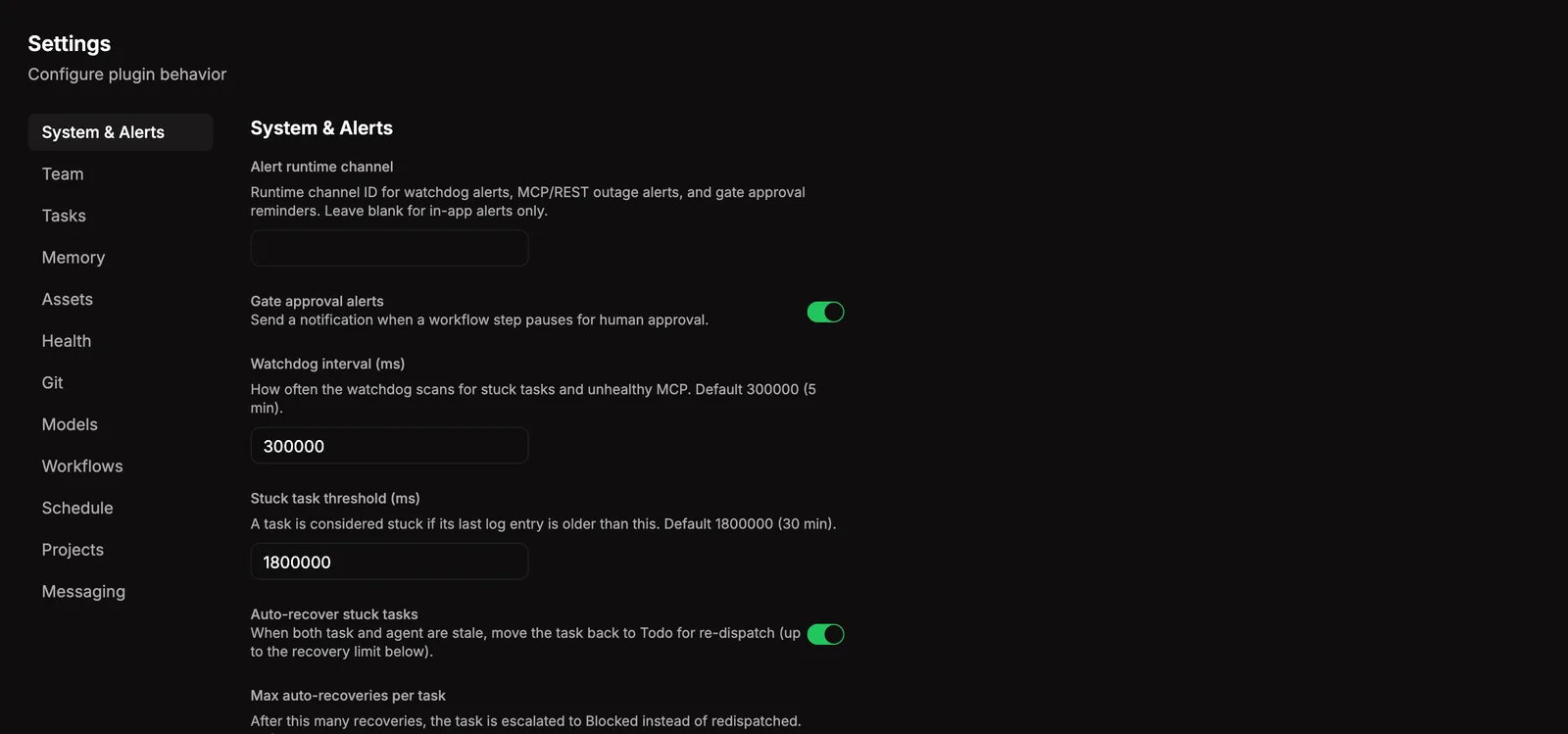
System & Alerts
Section titled “System & Alerts”The built-in tab covers the runtime knobs that don’t belong to any single plugin. A grab bag of small things, organized by what they affect:
| Group | What it controls |
|---|---|
| Dispatch | How often the dispatch loop fires, retry counts, cooldowns after structural and transient failures, the max number of in-flight dispatches. |
| Watchdog | Stuck-task thresholds, auto-recovery toggle, MCP and REST error-rate alerts (window, threshold, sample size, alert cooldown). |
| Restart recovery | Whether Bakin repairs stale inProgress tasks on server startup before kicking a dispatch cycle. |
| Models | Global allowlist and blocklist. Models on the blocklist never get assigned, even by alias or profile. |
| Doctor | Diagnostic interval and require-onboard guard so doctor stays quiet on fresh installs. Repairs are explicit through bakin doctor --fix or bakin doctor --delegate. |
| Notifications | Default notification channel and gate-alert toggle. |
| Workflow | Step timeout, redispatch cap, repeat-rejection threshold, agent-scoping and workflow-guard enforcement. |
| Runtime adapter | Which runtime adapter is active (today: openclaw) and any per-adapter settings. |
| Search adapter | Search engine (today: antfly), reranker config, default embedders, chunking targets, audit TTL. |
| SSE | Max concurrent live-event clients and keep-alive cadence. |
Most folks never touch these. Defaults are sane. Tweak when you’ve got a specific reason.
Plugin Settings
Section titled “Plugin Settings”Every plugin can declare its own settings. When it does, a tab shows up here with the same UI and persistence rules. Look for Memory, Models, Tasks, etc. once those plugins are active. Each plugin’s page documents what’s behind its tab.
On disk
Section titled “On disk”Prefer a text editor? Go straight to the JSON. System settings live at ~/.bakin/settings.json; per-plugin values at ~/.bakin/plugin-settings/<id>.json. Same rules: live services pick up settings on their next cycle; startup-only settings apply on the next server boot.
Related
Section titled “Related”- Health: see the effects of your settings on error rates, dispatch counts, and doctor results.
- Essentials: alerts surface based on the thresholds you configure here.