Models
Right model for the right job. Premium where the work earns it, budget where it doesn’t. A heartbeat ping shouldn’t run on GPT-5; a real strategy doc shouldn’t run on Haiku. This is where you make sure each agent and each kind of work lands on a model that fits.
Agent Config
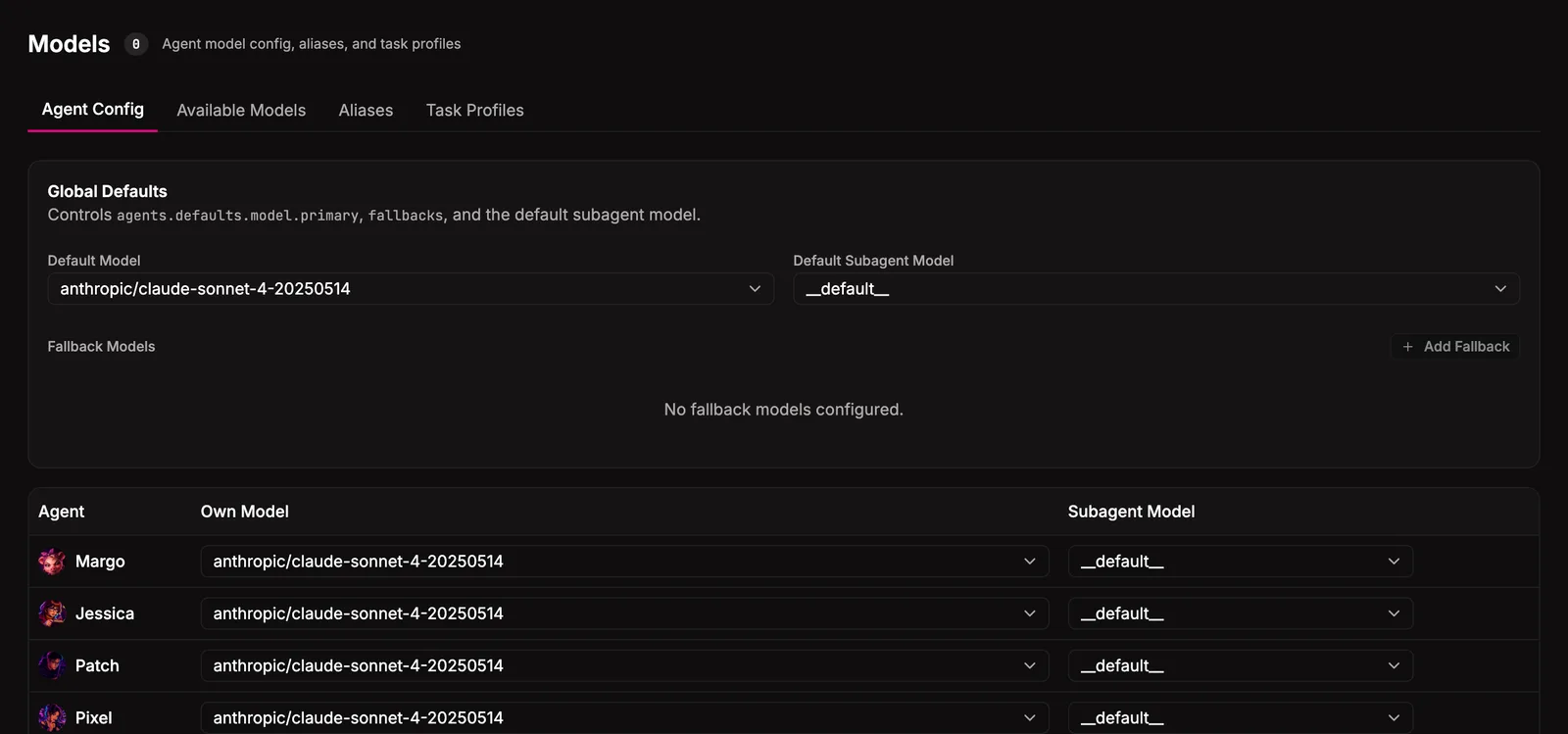
Section titled “Agent Config”One row per agent. Pick a concrete model, an alias, or a task profile. The dropdown shows the merged catalog (concrete ids, aliases, profiles) so you can route by capability or by name.
Two slots per agent:
| Slot | What it does |
|---|---|
| Primary | The model the agent itself runs on. |
| Subagent | The model used when this agent dispatches work to others. Set the orchestrator to premium and its helpers to budget here, instead of upgrading every agent. |
Defaults apply to anyone without an override. Fallback models cover provider outages: when the primary doesn’t respond, the runtime walks the fallback list in order.
Available Models
Section titled “Available Models”The catalog from every configured provider, merged with a curated metadata layer that adds what the APIs don’t return: tier (budget / standard / premium), best-for hint, cost summary, context window. Refresh from the provider anytime; results cache to disk so the page loads instantly.
| Tier | Use it for |
|---|---|
| Budget | Heartbeats, status pings, simple parsing, anything high-volume and low-stakes. |
| Standard | Day-to-day agent work. Writing, planning, most tool use. |
| Premium | Hard problems. Long-context analysis, multi-step reasoning, work where the model’s mistakes are expensive. |
Configure provider keys in Settings and they show up here automatically.
Aliases
Section titled “Aliases”Custom names mapped to model ids. Define daily-driver → claude-sonnet-4-6 once, point your agents at daily-driver, swap the underlying id later in one place. Useful when the provider ships a new generation and you want to roll the team forward without touching every agent.
Task Profiles
Section titled “Task Profiles”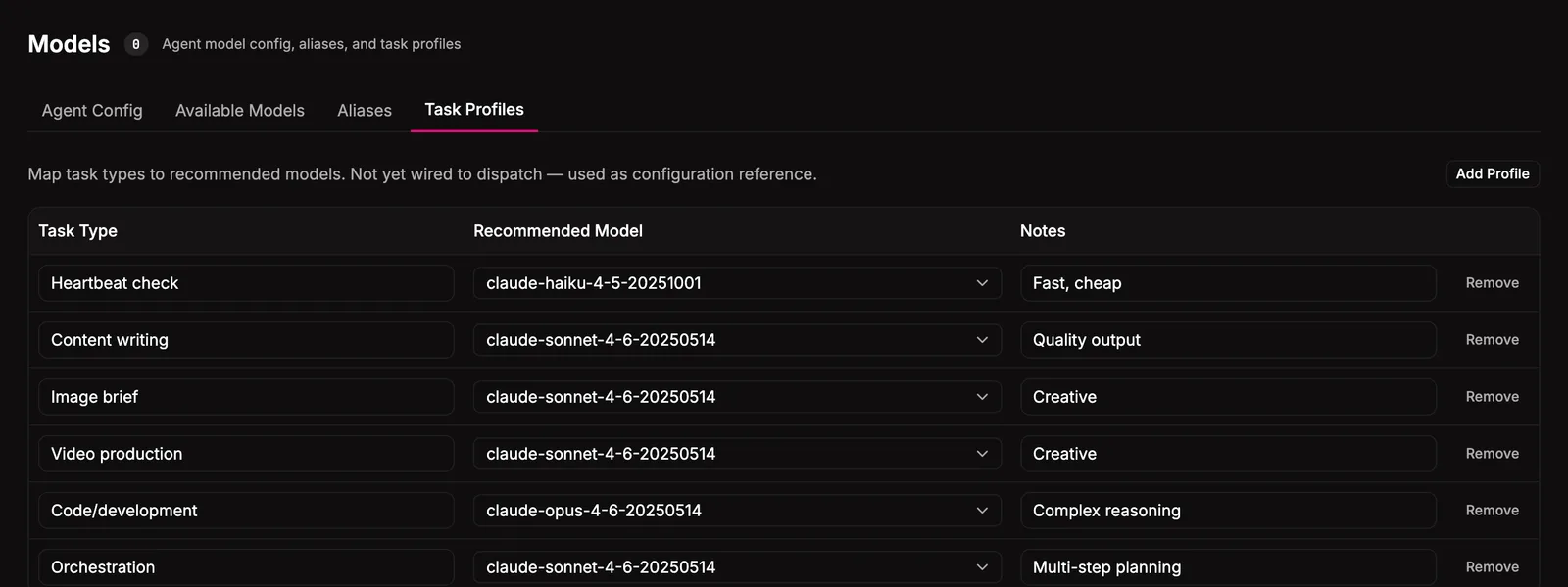
Named presets that abstract away vendor naming entirely. budget, standard, premium ship by default; add your own from the Task Profiles tab. Configure an agent with a profile name and Bakin resolves it at dispatch time. Lets you reason about cost vs capability instead of model ids.
Where it lives
Section titled “Where it lives”~/.bakin/plugin-settings/ models/ available.json # cached catalog from provider APIs models.json # per-agent config, aliases, task profilesThe runtime owns the actual model assignment (it’s what gets sent to the gateway on dispatch). Bakin reads and writes through the runtime adapter, never copies state.
Settings
Section titled “Settings”| Setting | Type | Default | What it does |
|---|---|---|---|
| Show usage metrics | boolean | true | Display token usage and cost estimates |
| Default model | select | openai-codex/gpt-5.4 | Default model for new agents |
HTTP API surface for this plugin: see the API reference.
For agents
Section titled “For agents”Agents can introspect the catalog and per-agent config through MCP exec tools.
bakin_exec_models_get_config: Get model configuration for all agents or a specific agent. Shows effective model (own override or default), subagent model, and system defaults.bakin_exec_models_list: List available AI models with tier classification (budget/standard/premium). Use this to discover what models are available for assignment.
Full schemas in the Exec tools reference.