Projects
Some work needs more than a task can hold. Projects give you a spec, milestone tasks, pinned attachments, and a brainstorm panel where you and an agent shape the bigger picture. Tasks ship; projects orchestrate.
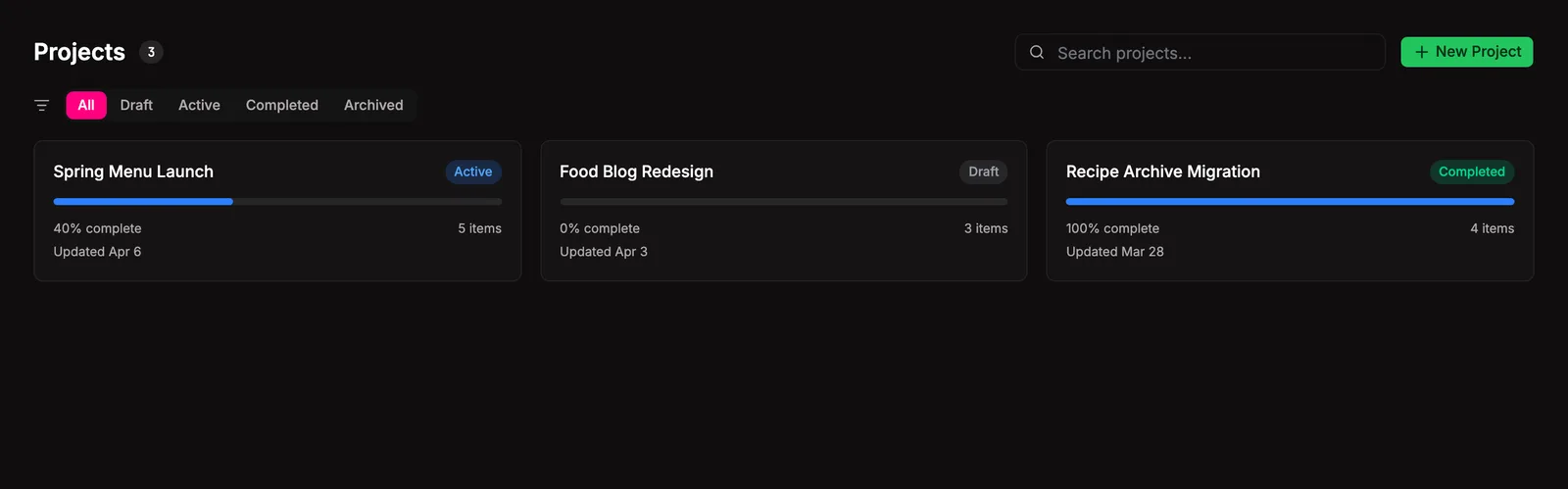
Start at the grid. Each card is a live read on how far along you and your agents are. Filter by status from the tabs, search by name or content, click in for the full spec. Hit + New Project to start fresh: title, status, owner, body, done. Tasks and attachments show up once you save.
Project Plan
Section titled “Project Plan”The plan sits at the heart of every project. A markdown spec covering what you’re doing, why, how it’ll get done, and what done looks like. Starts rough, sharpens with each pass as you and your agents work through it.
Brainstorm
Section titled “Brainstorm”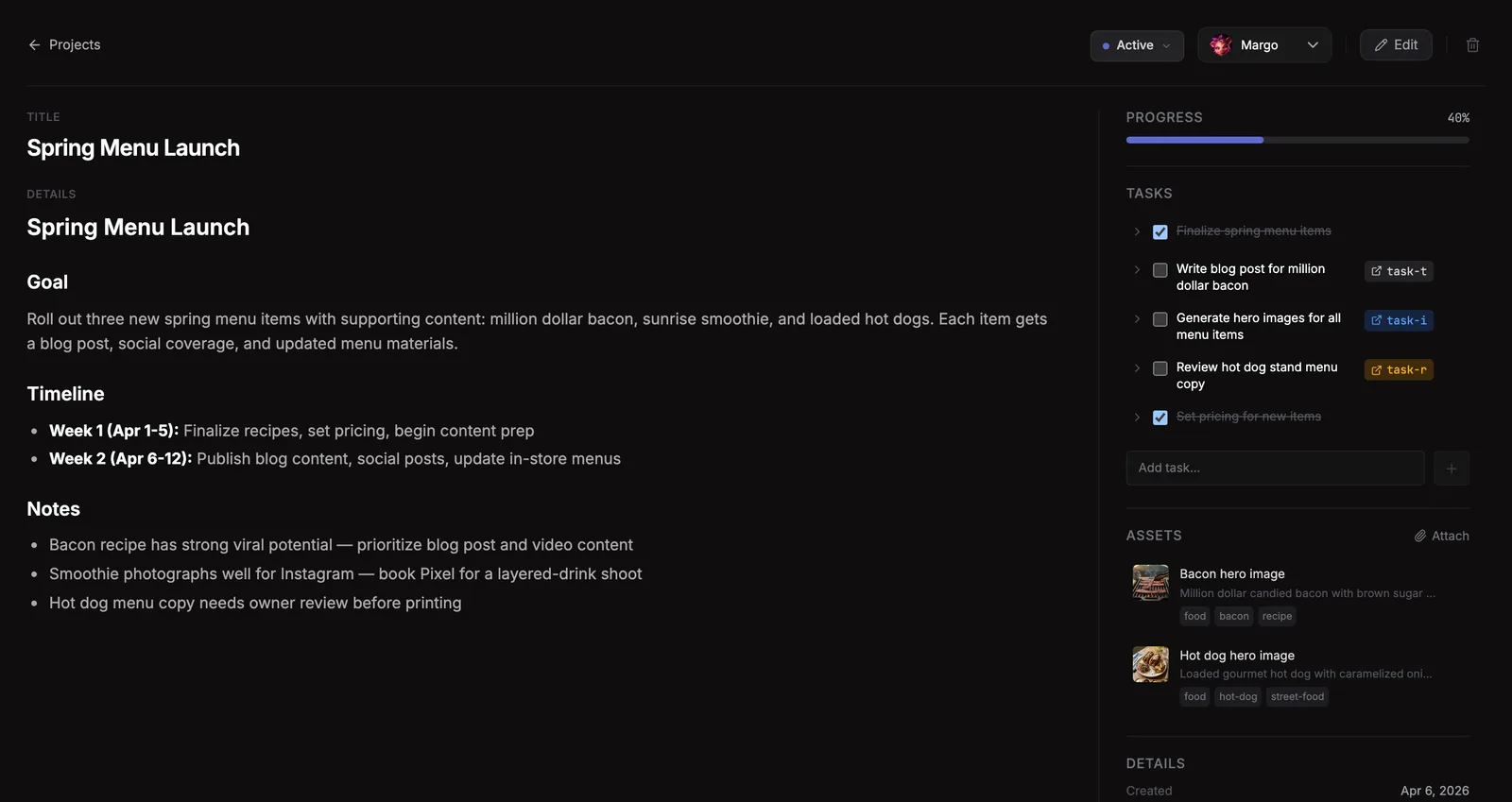
Most of the work happens here. Open the panel, pick an agent, start the conversation. Talk through goals, constraints, the things you haven’t figured out yet. With your pinned attachments on hand, the agent grounds every suggestion in what you’ve got. Bit by bit the plan sharpens, tasks surface, new attachments come in. The conversation stays put so you can come back tomorrow.
Hammer the plan out here before any real work starts.
Project brainstorm uses a stable runtime thread per project and agent, so a reopened project continues the same adapter-backed conversation instead of replaying the old transcript into every prompt. The project file still stores the visible chat timeline, including streamed tool/status activity, so you can see how the agent reached an answer after navigation or reload.
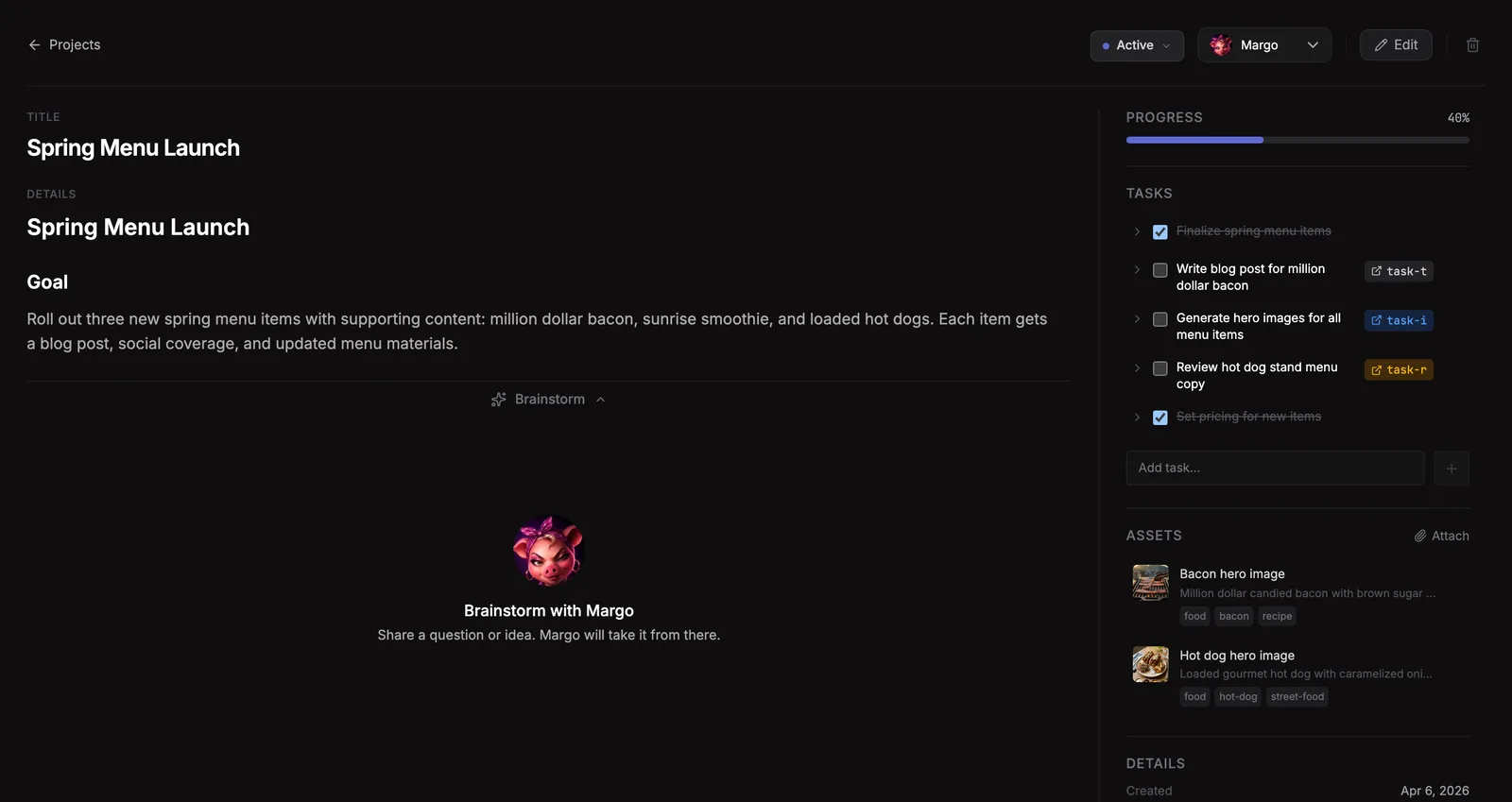
Project tasks are the plan in motion. Each one starts as a milestone in the spec, a checkbox sitting next to something that needs to happen. Small stuff you tick yourself and move on. When an item hardens into real work, promote it. One click spins up a task on the board and wires the link back to the project.
From there the checkbox stops being yours to tick. It follows the task. Hits Done on the board, flips checked here. The progress bar tracks what actually shipped, not what you remembered to update.
Attachments
Section titled “Attachments”Raw assets that give additional context or direction to the project. Customer feedback, a goals doc, some imagery, a PDF, whatever shapes the conversation. Pin anything from the Assets library and it’s right there when you and your agents brainstorm. Attach yourself, or let your agent pull things in as you explore together.
Where they live
Section titled “Where they live”~/.bakin/projects/ <project-id>.md # frontmatter + spec body + Checklist + Assets sectionsProjects index into search (table bakin_projects) on title and body, faceted by status, with semantic chunking enabled for long specs.
Settings
Section titled “Settings”| Setting | Type | Default | What it does |
|---|---|---|---|
| Default project status | select | active | Status assigned to new projects |
| Auto-promote threshold | number | 0 | Auto-promote checklist items to tasks when project has more than N unchecked items (0 = disabled) |
From the CLI
Section titled “From the CLI”| Command | Purpose |
|---|---|
bakin projects list | List projects |
bakin projects get <projectId> | Get a project |
bakin projects create <title> | Create a project |
bakin projects update <projectId> | Update a project |
bakin projects apply-plan <projectId> | Apply a confirmed project plan update |
bakin projects delete <projectId> | Delete a project |
bakin projects add-item <projectId> <title> | Add a checklist item |
bakin projects toggle-item <projectId> <itemId> <checked> | Toggle a checklist item |
bakin projects update-item <projectId> <itemId> | Update a checklist item |
bakin projects remove-item <projectId> <taskItemId> | Remove a checklist item |
bakin projects link-item <projectId> <taskItemId> <taskId> | Link a checklist item to a task |
bakin projects promote-item <projectId> <taskItemId> | Promote a checklist item to a task |
bakin projects attach-asset <projectId> <filename> | Attach an asset to a project |
bakin projects detach-asset <projectId> <filename> | Detach an asset from a project |
bakin projects ask <projectId> <message> | Ask an agent about a project |
Full surface in the CLI reference.
HTTP API surface for this plugin: see the API reference.
For agents
Section titled “For agents”Agents drive projects through MCP exec tools. The full set covers create/update, checklist items, task linking, and asset attachments:
Full schemas in the Exec tools reference.