Assets
Your agents are hoarders, in the good way. Every image they ship, every plan they write, every screenshot they grab lands in Assets. You drop in whatever else they should see. Indexed across text and pixels, so the catalog gets sharper every time someone touches it.
The library
Section titled “The library”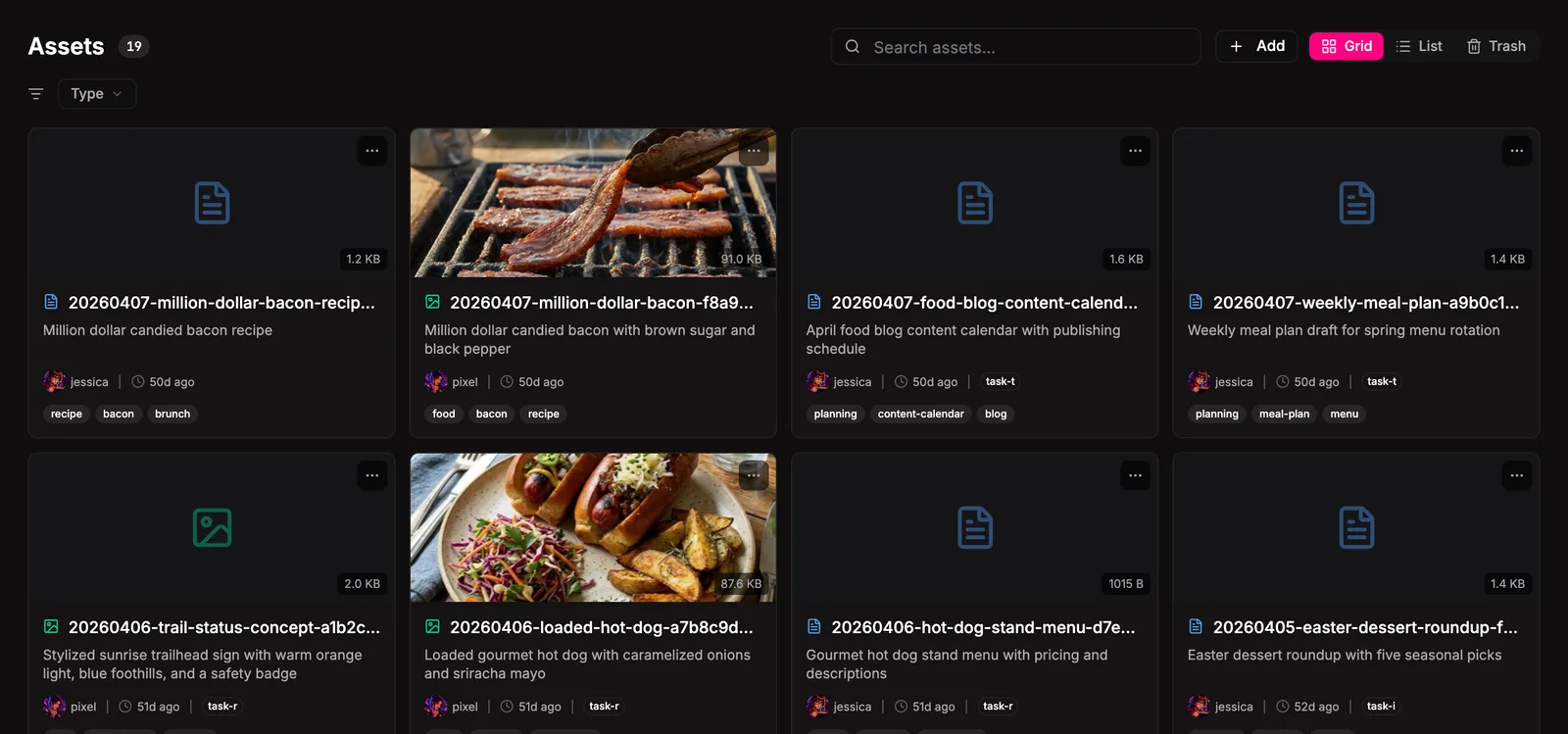
The library is a unified view across every asset Bakin knows about. Filter by type, switch between grid and list, paginate. Each card shows a thumbnail (auto-generated for images), filename, type, and key sidecar metadata. Click any card for the detail modal.
Search is semantic and reaches text and pixels at the same time. Type “italian food” and you’ll get recipes for carbonara, photos of pasta the visual index spotted on sight, research notes on regional cooking, video clips of pizza-making. None of those need to literally say “italian” to surface. One query, the whole library.
What can be an asset
Section titled “What can be an asset”Bakin classifies files by extension into nine types:
| Type | Extensions |
|---|---|
text | .md .txt .rtf |
images | .png .jpg .jpeg .gif .webp .svg .bmp .ico |
video | .mp4 .mov .webm .avi .mkv |
audio | .mp3 .wav .m4a .ogg .flac .aac |
plans | .yaml .yml |
pdf | .pdf |
data | .json .csv .tsv .xml |
other | anything else |
research | retype-only (no auto-classification) |
other is a real type. Files outside the whitelist still upload and get all the same metadata, indexing, and trash treatment. research doesn’t claim any extension automatically, but you can retype anything into it from the detail modal when the content fits the role. Default size limit is 50 MB per file, configurable in Settings.
Creating assets
Section titled “Creating assets”Four paths in. They all converge on the same canonical treatment: filename, sidecar, thumbnail, search index. Mix and match however suits the moment.
Drag and drop
Section titled “Drag and drop”Hit + Add on the assets page or any task with the task-assets slot. Drop one or many files. Optional fields: link to a task, description, tags. Done.
Drop into the inbox
Section titled “Drop into the inbox”~/.bakin/assets/inbox/ is a watched folder. Drop a file in (or inbox/{type}/ to hint the type) and Bakin moves it to the canonical location, writes a sidecar tagged source=manual, and indexes it. Useful for batch imports from anywhere on your machine.
Paste from clipboard
Section titled “Paste from clipboard”In the task detail dialog, paste an image or a long block of text directly into the description. Bakin uploads it as an asset (source: clipboard), writes a markdown reference into the description, and links it to that task. Ten megabyte cap on clipboard payloads.
Saved by an agent
Section titled “Saved by an agent”Agents call bakin_exec_assets_save with content and metadata. Bakin canonicalizes the filename, writes the sidecar (source: agent), generates the thumbnail, and indexes. Most assets in a busy Bakin show up this way.
Managing assets
Section titled “Managing assets”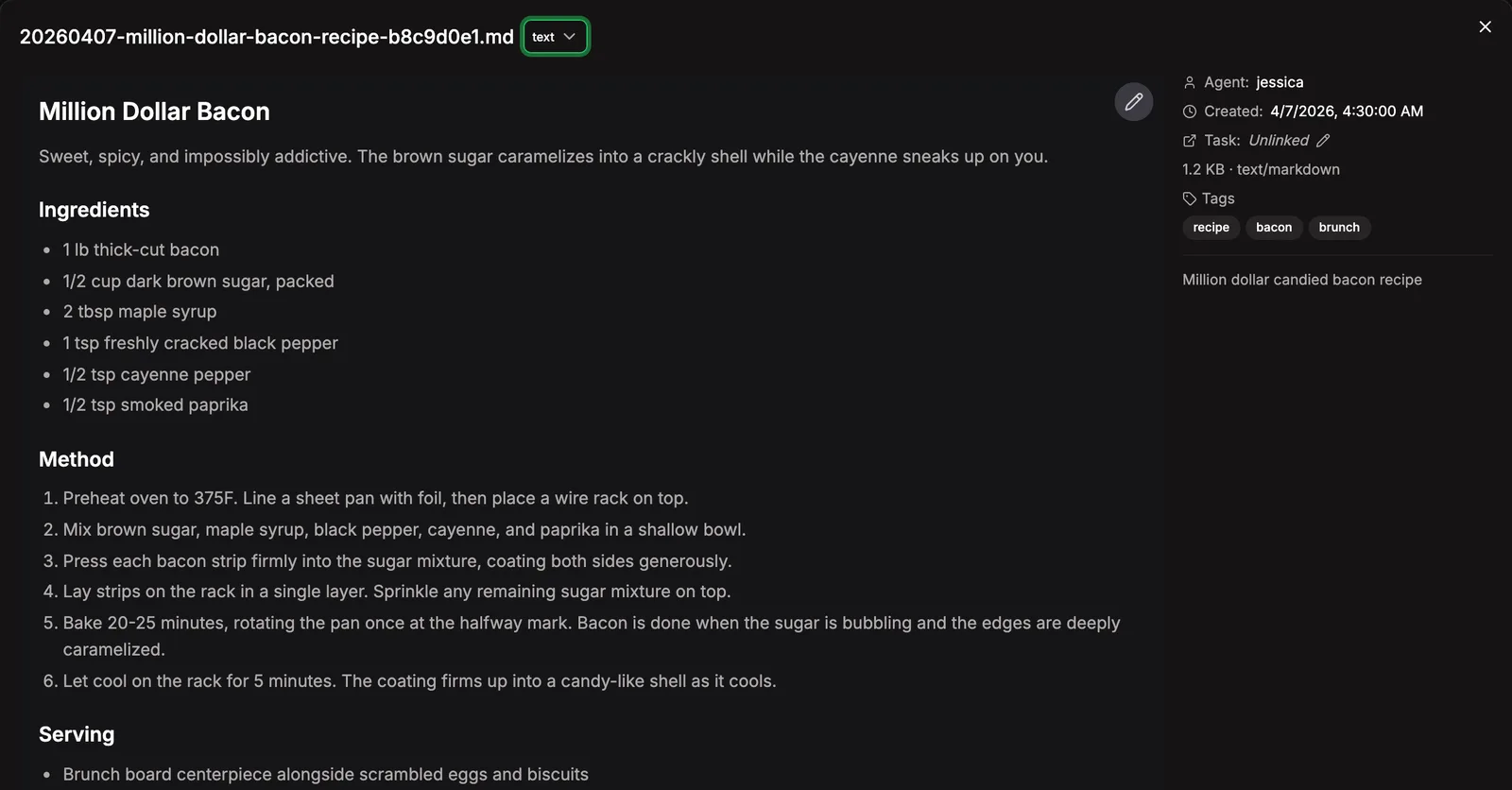
Click any asset to open the detail modal. From there:
- Retype: change the type classification without moving the file (sidecar-only update).
- Relink: attach the asset to a task or detach it. One task at a time; relinking replaces the previous link.
- Edit content: for editable text formats (markdown, plain text, JSON, YAML, CSV, etc.), the pencil opens an in-modal editor. Save updates the file in place and re-runs indexing.
- Download: pulls the original file.
- Delete: soft-delete to trash.
Filename is identity. None of these actions move the file on disk. Retype, relink, and content edits all touch the sidecar or the file contents in place.
Where they live
Section titled “Where they live”~/.bakin/assets/ store/ YYYY-MM/ # month shard 20260401-hero-a1b2c3d4.png # the asset 20260401-hero-a1b2c3d4.png.meta.json # sidecar 20260401-hero-a1b2c3d4.thumb.jpg # auto thumbnail inbox/ # ingestion staging .trash/ # soft-deleted itemsFilenames follow YYYYMMDD-{slug}-{8charId}.{ext}. The path is a pure function of the filename, so anything that knows the filename can find the file. Sidecars carry agent, taskId, created, type, tool, description, tags, originalFilename, and source.
Indexing and search
Section titled “Indexing and search”Assets register with the search system as a file-backed content type, table bakin_assets. Indexed across two Antfly indexes:
- Text: filename, description, tags, and extracted content (PDF text, markdown, plain text, JSON, CSV, YAML capped at 50K characters or 100 PDF pages).
- Visual (raster images only): a CLIP embedding of the image itself. Search “blueprint sketch” and visual matches surface alongside any text matches.
Facets for filtering: asset_type, agent, tool. Cross-table search means a single query reaches assets, tasks, projects, memory, and everything else in one shot.
If anything looks stale, reindex from the Health page.
Trash and recovery
Section titled “Trash and recovery”Soft delete first. Files move to ~/.bakin/assets/.trash/ with a __deleted-{timestamp} suffix and stay restorable by default.
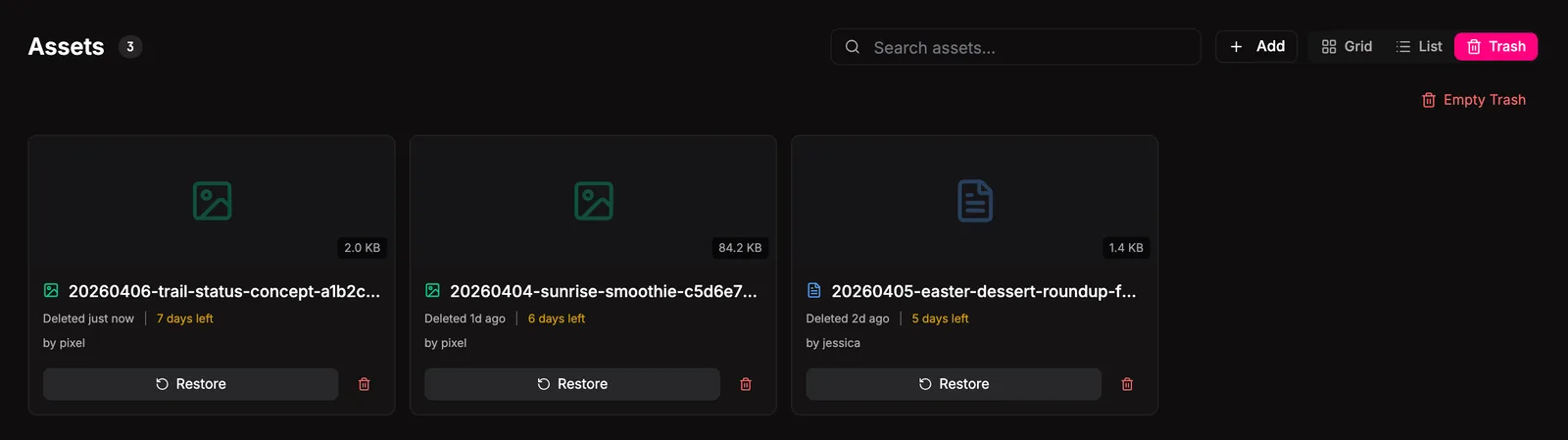
The default recovery window is 7 days. Past that window, asset health checks can purge expired trash through the explicit doctor repair workflow. You can also empty trash manually at any time. Restore drops the file back at its canonical path, sidecar and all, and re-indexes.
Permanent delete is irreversible. Empty trash wipes everything in one shot.
How other plugins use assets
Section titled “How other plugins use assets”Assets is one of Bakin’s most-consumed plugins. Cross-plugin touchpoints:
- Tasks: clipboard paste auto-uploads. Each task page renders the
task-assetsslot showing every asset linked to that task. - Projects: project pages fetch and render asset thumbnails for everything attached to the project.
- Messaging: message drafts can carry image or video filenames; the messaging plugin renders them via
/api/assets/{filename}. - Memory: listens to asset audit events (
asset.uploaded,asset.deleted,asset.relinked,asset.retyped, and so on) so anything that happens to an asset surfaces in your memory tier.
Plugins compose by filename (/api/assets/{filename} is a stable URL) or by slot (asset-preview, asset-detail-modal, task-assets).
Settings
Section titled “Settings”| Setting | Type | Default | What it does |
|---|---|---|---|
| Generate thumbnails | boolean | true | Auto-create optimized thumbnails on upload |
| Max file size (MB) | number | 50 | Reject uploads larger than this |
| Purge clipboard assets on task completion | boolean | false | Auto-delete clipboard-pasted assets when their linked task is marked done |
From the CLI
Section titled “From the CLI”Most asset workflows happen in the UI or through agents. Trash is CLI-friendly:
| Command | Purpose |
|---|---|
bakin trash [list|restore|empty] ... | Manage trashed assets. |
Full surface in the CLI reference.
HTTP API surface for this plugin: see the API reference.
For agents
Section titled “For agents”Agents create, link, and curate assets through MCP exec tools.
bakin_exec_assets_audit: Audit asset health: check for missing thumbnails, invalid sidecars, orphaned files. Set fix=true to auto-generate missing thumbnails and create stub sidecars.bakin_exec_assets_delete: Soft-delete an asset (moves to trash, restorable until trash is emptied).bakin_exec_assets_empty_trash: Permanently delete all items from trash. This cannot be undone.bakin_exec_assets_get: Retrieve a single asset’s sidecar metadata by canonical filename.bakin_exec_assets_link: Link an asset to a different task, or unlink it (set taskId to null). Sidecar-only edit — no file move.bakin_exec_assets_list: List assets with optional type filter. Returns asset count, canonical filenames, and metadata.bakin_exec_assets_list_trash: List trashed assets with name, size, deleted timestamp, and days remaining before auto-purge.bakin_exec_assets_open: Open an attached asset by canonical filename. Returns sidecar metadata plus extracted text for text-like assets; non-extractable assets return metadata-only status.bakin_exec_assets_permanent_delete: Permanently delete a specific trashed asset. This cannot be undone.bakin_exec_assets_restore: Restore a trashed asset back to its original location. Use bakin_exec_assets_list_trash first to get the filename.bakin_exec_assets_retype: Change an asset’s type classification. Sidecar-only edit — no file move.bakin_exec_assets_save: Save an agent-created file to the assets directory with standardized naming (YYYYMMDD-slug.ext) and sidecar metadata. Handles directory creation, naming conventions, and .meta.json automatically.bakin_exec_assets_update_content: Update the text content of an editable asset. Only works for text-based MIME types (markdown, plain text, YAML, JSON, CSV, XML). Rewrites the entire file.
Full schemas and arguments in the Exec tools reference.
Related
Section titled “Related”- Tasks: tasks own clipboard pastes and the
task-assetsslot - Memory: asset events feed memory automatically
- Essentials: the search index covers every asset’s text and image content